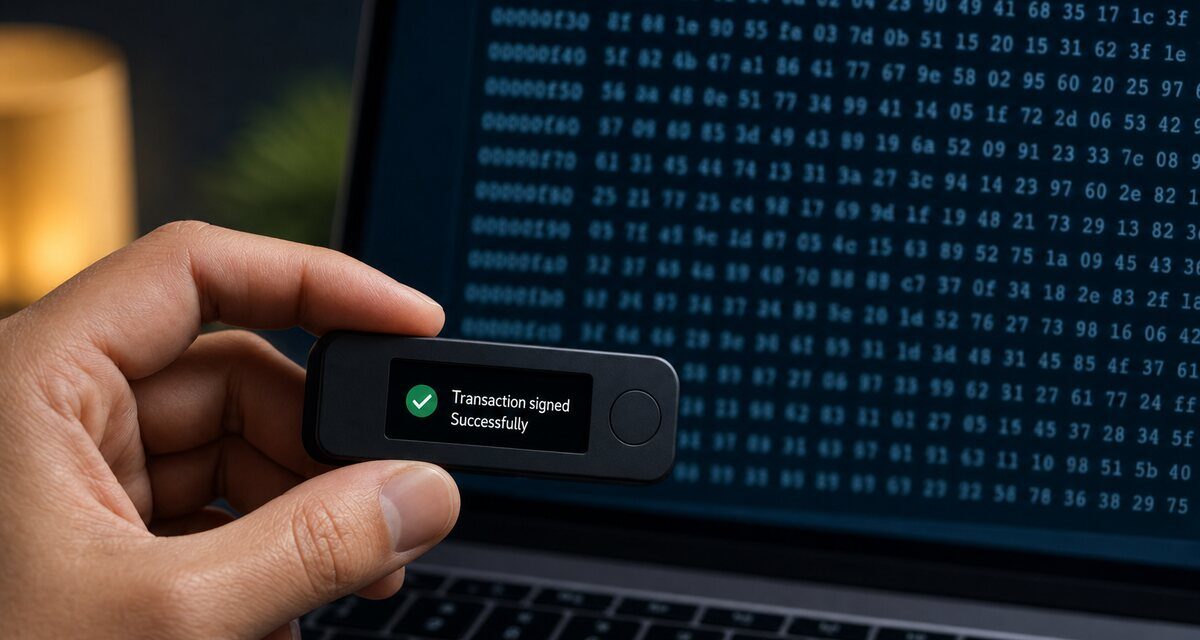
Short answer: blind signing means approving a transaction your wallet cannot decode, so your device shows a wall of hexadecimal data instead of what will actually happen. Clear signing turns that data into plain language on the device’s own secure screen: what the transaction does, who receives what, and how much. If you cannot read it, you should not sign it.
What “blind signing” really means
Every on-chain action, from sending a token to approving a smart contract, is a message your wallet signs with your private key. For a simple transfer, the device can show the amount and the destination address. For smart-contract calls, the transaction contains encoded calldata. When the wallet does not know how to decode it, Ledger’s developer documentation describes the result plainly: the user approves “a screen full of unreadable calldata with no way to confirm what they are authorizing.”
That is exactly the moment attackers wait for. A phishing site or a compromised interface can show you “Claim rewards” in the browser while the data you sign says “give this address unlimited access to my tokens”. The device signs whatever it receives: it has no idea what the website promised you.
What “clear signing” changes
Clear signing adds a translation layer. According to Ledger, it “turns the raw, encoded data of a blockchain transaction into plain language that a person can read and verify before approving it”, and the device’s secure screen then shows “what it does, who receives what, and how much.” Crucially, it “never modifies the transaction; it adds a display layer that is verified on the signer itself.”
On Ethereum, this is standardised by ERC-7730: a protocol author publishes a JSON file that maps each supported contract function to human-readable fields. A raw approve() call can then be displayed as “Allow [spender] to spend [amount] USDC”.
Why the device screen is the only one that counts
Your computer or phone can be compromised; the hardware wallet’s screen is designed not to be. The whole point of a hardware wallet is that the final check happens on a display the attacker cannot control. That is the principle behind this site’s name: what you see is what you sign. If the screen on your device does not show something you understand, the browser’s nice summary is worthless.
Practical rules
- Leave blind signing disabled by default. On Ledger devices it is off unless you switch it on. Enable it only for a specific action you fully understand, then switch it off again.
- Read every field on the device, not only the first screen: recipient, amount, token, network, fees, and for approvals the spender and the allowance.
- Distrust “unlimited” approvals. Prefer an allowance equal to what you actually need.
- Reject anything you cannot explain. A legitimate application can wait while you check its documentation; a scam needs you to hurry.
- Keep firmware and apps updated, since clear-signing support for new contracts arrives through updates.
Limits of clear signing
Clear signing makes intent readable; it does not make a bad decision safe. If you clearly approve sending funds to an attacker’s address, the device will faithfully sign it. Ledger pairs it with a separate risk warning (“Transaction Check”) on its touchscreen devices, and some decentralised applications still require blind signing for certain interactions. Readability is a necessary condition, not a guarantee.
Frequently asked questions
Is blind signing always dangerous?
Not always: some legitimate applications still require it. But while it is enabled, you are trusting the website completely, because your device cannot show you what you approve. Enable it only for a specific action you have verified elsewhere, then switch it off.
How do I know if my device is clear signing?
The screen shows readable fields, such as the action, the amount, the token and the recipient or spender, instead of a long hexadecimal string or a “blind signing” warning.
Does clear signing exist for Bitcoin?
Ordinary Bitcoin payments are already readable on hardware wallets, which show outputs, amounts and fees. The blind-signing problem mainly concerns smart-contract platforms such as Ethereum. For Bitcoin, see verifying a transaction before you sign.
What is a token approval, and why is it risky?
An approval lets a smart contract move your tokens later without asking again. An unlimited approval to a malicious contract can empty that token balance at any time. Approve only what you need and revoke old approvals you no longer use.
Sources
- Ledger Developer Portal: Clear Signing overview
- Ledger Academy: What is clear signing?
- QuickNode: ERC-7730 explained
Educational content, not financial advice. Some links on this site are affiliate links: see our disclosure.